 Cptn PES
The first section in the app
Your luck before the pack
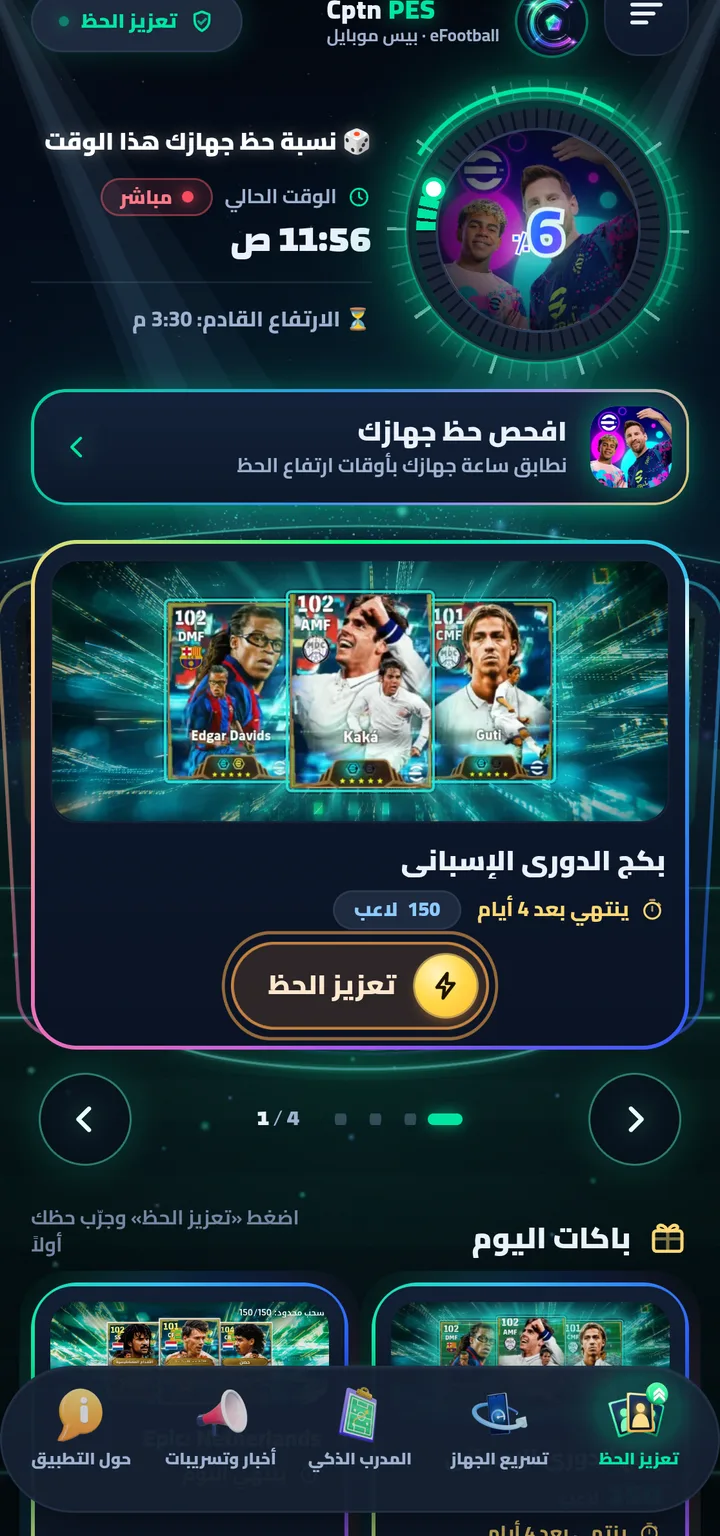
Check your device luck before opening a pack, and follow the luck moments with notifications and a floating bubble.
Entertainment
Inside the section
Four screens — from pack to result
Real, unedited screenshots from the app on a player's phone.
Tools
What's in the section
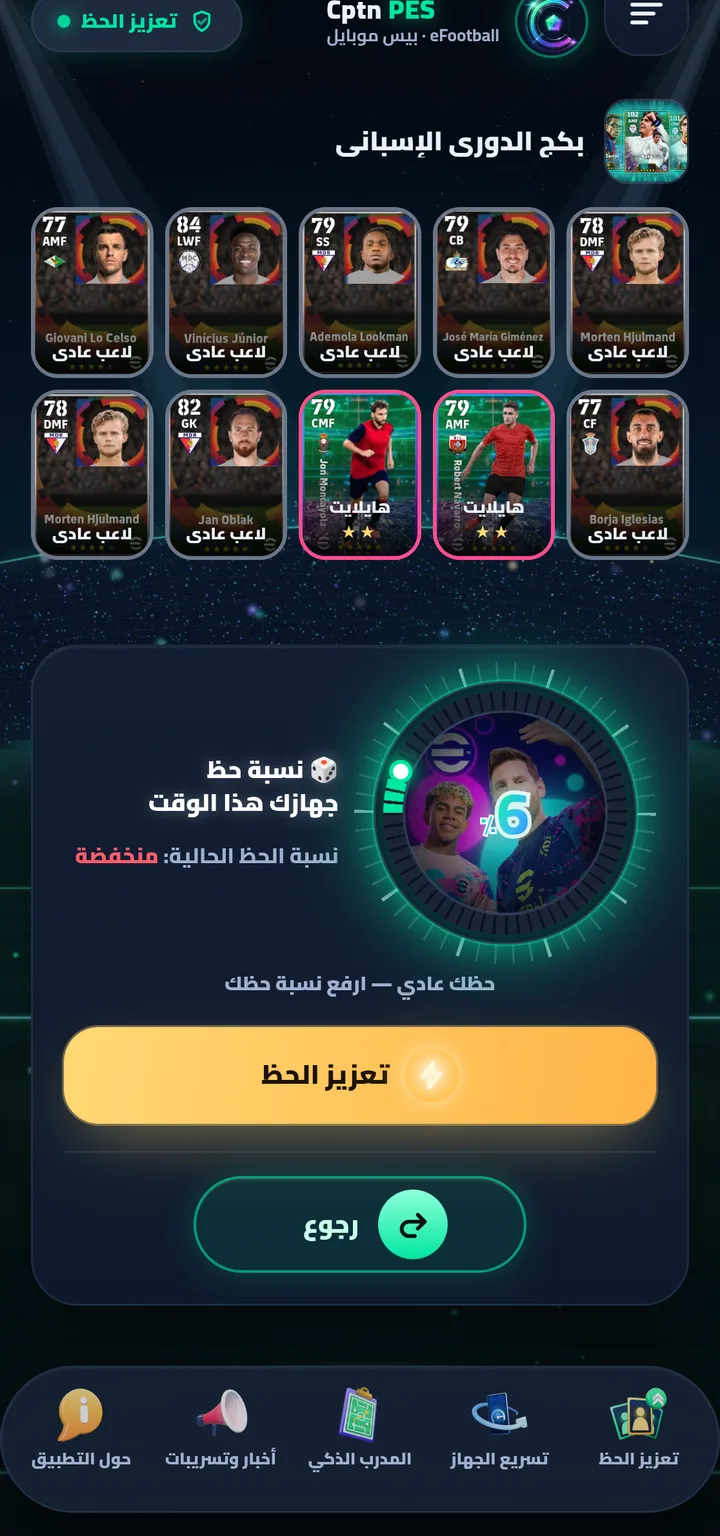
Luck meterYour device luck now and the next rise — matched to your phone's clock.
Rise alertOn by default: a heads-up before every wave; turn it off in the Permissions center under About.
The bubbleA small circle over the game to follow the luck moment while you play.
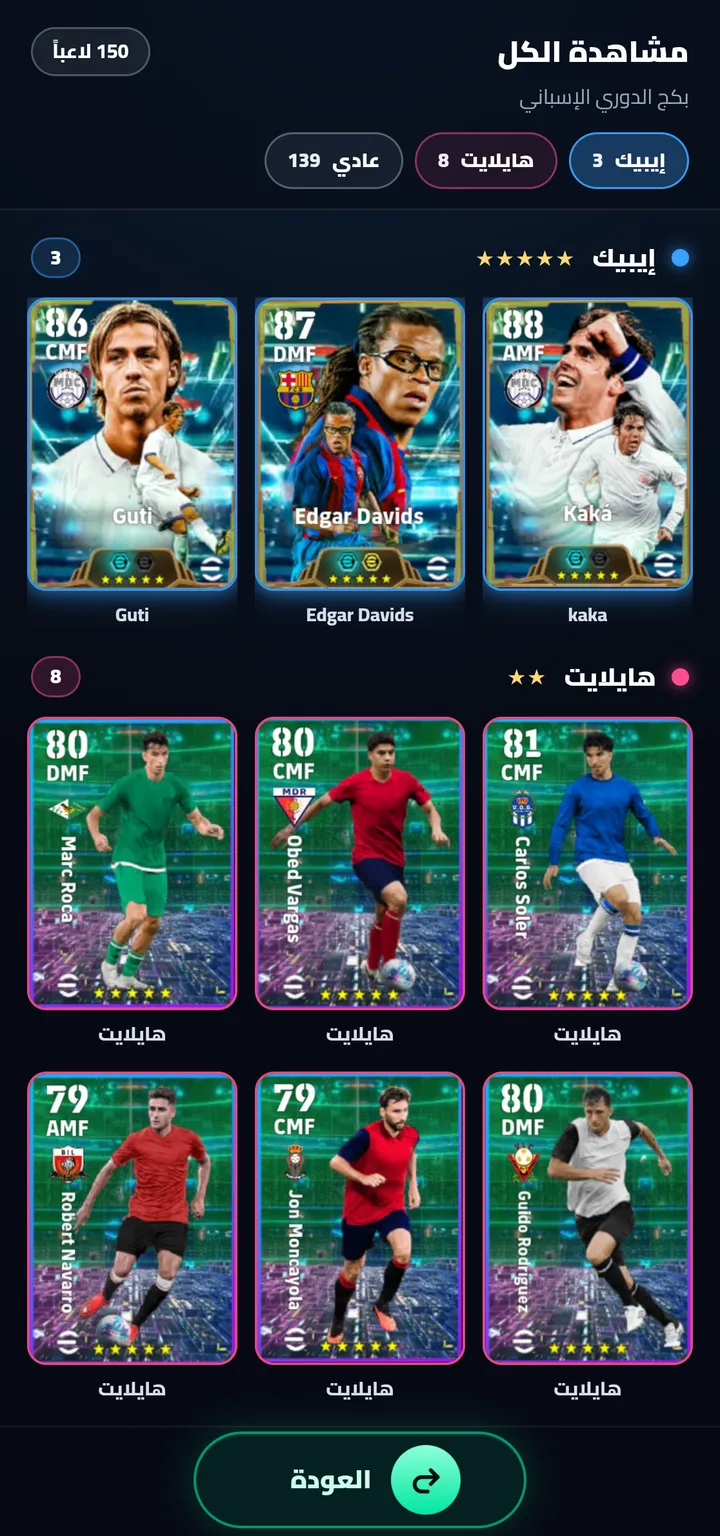
View allThe pack's full player list, from the strongest.
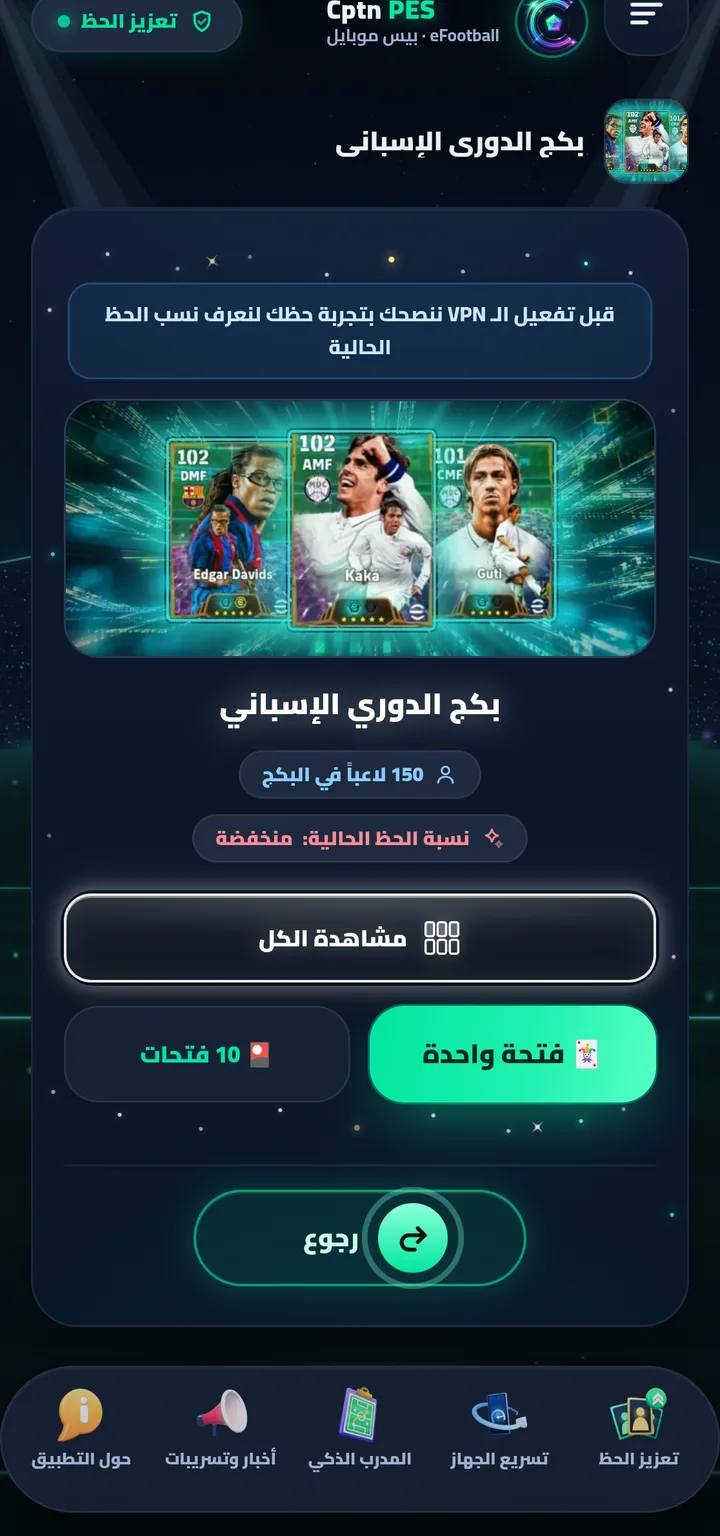
One pull · 10 pullsTry your luck on the pack inside the app before spending anything in the game.
Enter the gameAfter the trial: “✓ Accept & activate”, then “🎮 Enter the game and open the pack” — valid for 5 minutes.
How to use it
Step by step
Text in quotes is the button name exactly as it appears on screen.
- The meter shows your device’s luck right now, with the next rise time below it.
- Luck-rise alerts are on automatically — you get a notification before every wave, and you can turn them off from “Permissions center” on the About page.
- Tap “Boost luck” on any pack ⇒ try your luck first with “🃏 One pull” or “🎴 10 pulls”.
- Luck low? Tap “Boost luck” on the result ⇒ “✓ Accept & activate” ⇒ we check your device’s luck and raise it ⇒ “🎮 Enter the game and open the pack” — the rate lasts 5 minutes.
Blog
Read next
PackseFootball pack odds: what Konami actually says (+ calculator)
Rates are uniform within a list, published for the first pull only, then change with what's left — a real example and a calculator.
The truthDoes a luck VPN raise your eFootball pack odds? The truth
What a VPN actually does, what no app can do — and why we call our section entertainment.

Get Cptn PES
For Android (6.0 or newer), and it updates itself with one tap. Download it from our site only.