 Cptn PES
User guide — step by step
How to use Cptn PES
Every section with its steps, and button names in quotes exactly as you see them. The same guide lives inside the app under About.
Install
Once — after that the app updates itself from inside.
- Tap “Download for Android” on the download page — the app file (APK) starts downloading.
- Open the file from the download notification or your phone's Downloads.
- If Android asks you to allow installing apps from your browser, open the setting it suggests, allow this source, then go back and tap Install.
- Open Cptn PES — every future update reaches you from inside the app with one tap.
 Boost LuckSection page
Measures your device’s luck and raises it before you open a pack
- The meter shows your device’s luck right now, with the next rise time below it.
- Luck-rise alerts are on automatically — you get a notification before every wave, and you can turn them off from “Permissions center” on the About page.
- Tap “Boost luck” on any pack ⇒ try your luck first with “🃏 One pull” or “🎴 10 pulls”.
- Luck low? Tap “Boost luck” on the result ⇒ “✓ Accept & activate” ⇒ we check your device’s luck and raise it ⇒ “🎮 Enter the game and open the pack” — the rate lasts 5 minutes.
 Device BoostSection page
Honestly checks your device, cleans it and gets it ready to play
- The heart in the middle is “Device Check” ⇒ “🔍 Check my device” — about 20 seconds, then you get a score out of 100 and whether it runs PES.
- Eight moons orbit the heart — tap any moon to open its tool: “Network” · “Cleanup” · “Readiness” · “RAM” · “Match Report” · “Uninstall Apps” · “Security” · “Storage”.
- “Boost Your Network” measures ping and turns on match mode · “Readiness” checks network and device before a match in one tap.
- “Cleanup” safely deletes Cptn PES leftovers and its update packages — clear the game's cache from “Storage”.
 Smart CoachSection page
Reads your squad and manager from the game and gives you the strongest lineup
- Tap “⚡ Full scan” ⇒ “📸 Start — the system consent appears” ⇒ choose “Entire screen” and accept ⇒ “🎮 Enter the game”.
- In the game: open your squad → the camera icon 📷 → “Read” · then your manager's photo → “Read” — and you come back with your players and manager.
- Can't open the game? Tap “Improve your squad” and upload a screenshot of your squad.
- The coach's seven tools: “Improve Squad” · “Best Managers” · “Playing Styles” · “Special Developments” · “Playstyle Simulation” · “Player Positions” · “Send a photo”.
 News & LeaksSection page
Packs and leaks as they happen, with notifications
- Tabs on top: “All”, then today's news sections — Videos · Packs · Leaks · Konami…
- Tap any story to open its details and source — leaks are labeled and never shown as fact.
- A video card opens the video directly in the TikTok app.
- Notifications reach you even when the app is closed — enable them in the “Permissions center” on the About page.
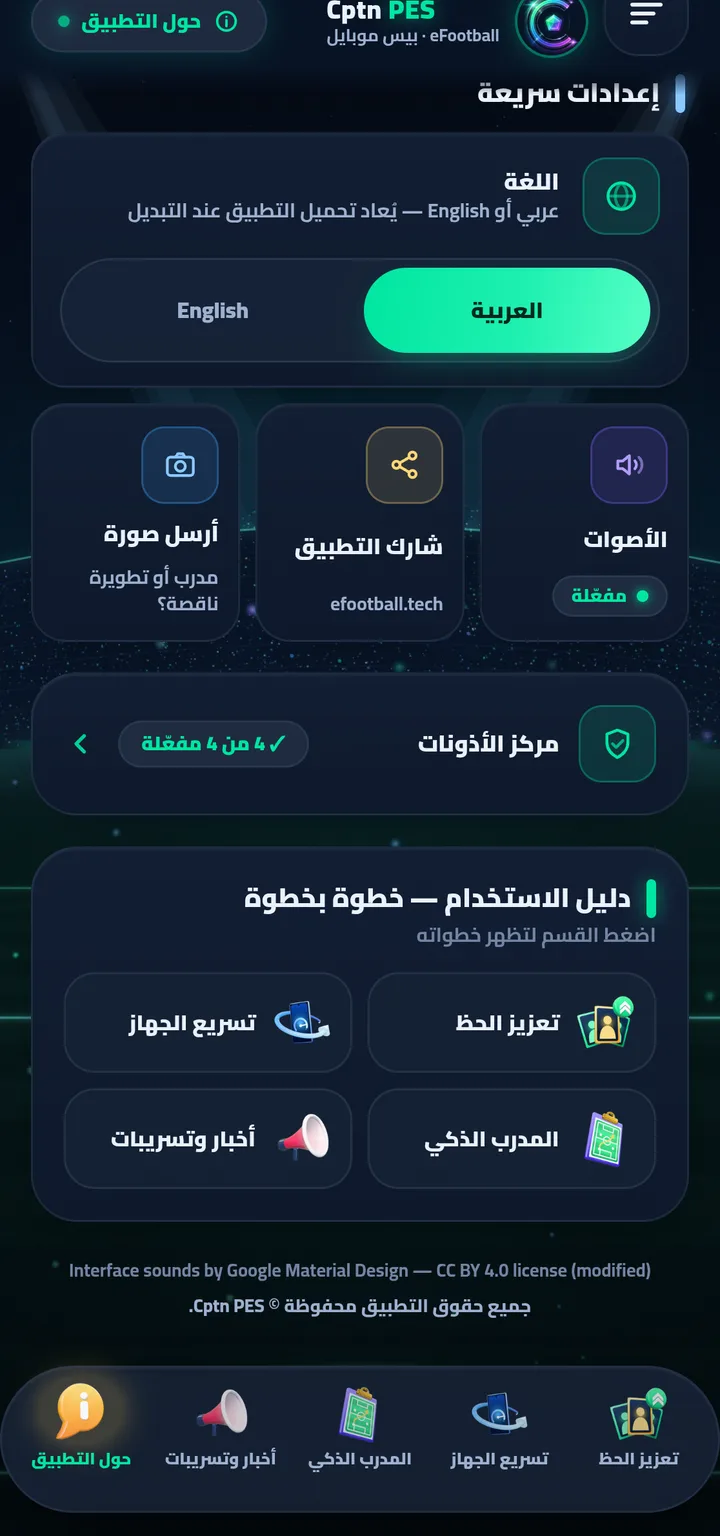
 About
About
The fifth page in the bottom bar — settings, updates and this same guide.
Check for updatesEvery new version reaches you here with one tap — along with “What’s new”.
LanguageArabic or English — the app reloads when you switch.
SoundsInterface sounds are on by default; turn them off here.
Permissions centerEvery permission with its real system state — the button opens its setting directly.
Send a photoMissing a coach or upgrade? Send its screenshot to our team.
Beware of copycat appsCptn PES is our only official app — trust only our official channels.

Get Cptn PES
For Android (6.0 or newer), and it updates itself with one tap. Download it from our site only.