Cptn PES
eFootball Mobile high ping & lag: what can actually be fixed?
Before any “ping booster”: ping is a round trip between your phone and the server, and only part of it is in your hands. That part we fix — the rest we say plainly.
Lag kills a match in a second. Many apps promise to “boost your ping” — but networks don't run on magic. Here's what actually happens, and what you can do on your side.
What is ping?
Ping is the time — in milliseconds — a message takes to go from your phone to the server and back. Lower is better. It depends on three things: your side (your phone and your home network or mobile data), the route between your internet provider and the server, and how far the server is. Only your side is in your hands.
What you can fix on your side
- Background downloads: app updates or videos downloading in the background compete with your match for the network. That's where match mode comes in.
- Signal: weak Wi-Fi far from the router means more stutter — move closer or try your strongest network.
- Phone heat: a hot phone lowers its performance to cool down (thermal throttling), so the game stutters even on a good network.
- RAM and background apps: lots of open apps eat memory.
What no app can fix
No app shortens the distance to the server, controls your provider's route, or your opponent's network. We say it in the app itself: We measure and stabilize your side — the connection bars inside the match also depend on the opponent’s network, which no app controls.
Device Boost tools built for exactly this
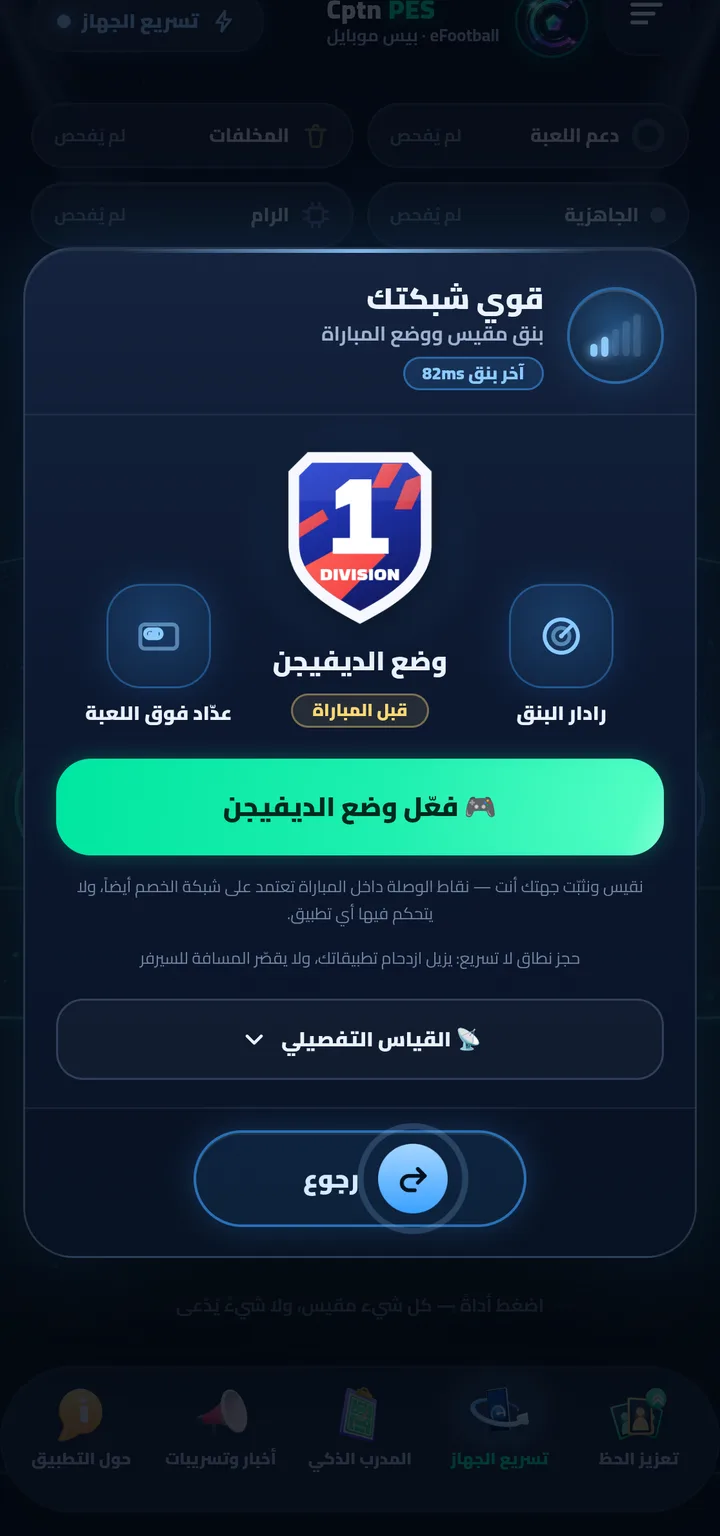
- Boost Your Network — ping measured on your phone, “📡 Detailed measurement”, and match mode (“Division Mode”).
- Readiness — “We measure for real right now: your network, connection, storage and device temperature — no guessing.”
- Match Report — measures your phone's temperature while you actually play, and tells you in which minute thermal throttling began.
- RAM and Cleanup — close background apps, and safely delete the app's leftovers.
What exactly does match mode do?
It opens a local VPN interface on your phone — no server at all, routes every app into it except the game and ours, and drops their packets; background downloads pause and the bandwidth stays with your match. Not a single byte of your data passes through us. Details on the Device Boost page.
Before a match: one minute
- Open Device Boost ⇒ Readiness ⇒ check.
- If the phone is hot, let it cool a little, and close what you don't need from RAM.
- In Boost Your Network, turn on Division Mode, then start your match.
- After the match, open Match Report to see whether — and when — thermal throttling began.